A UAT user shares a production error screenshot displaying the generic message: "The system has encountered a problem. Contact your administrator." It includes an error number (e.g., 954c8:bb743). You do not have access to production screen or data access, but you do have access to the Development environment and the production server logs. How would you debug and resolve this issue?
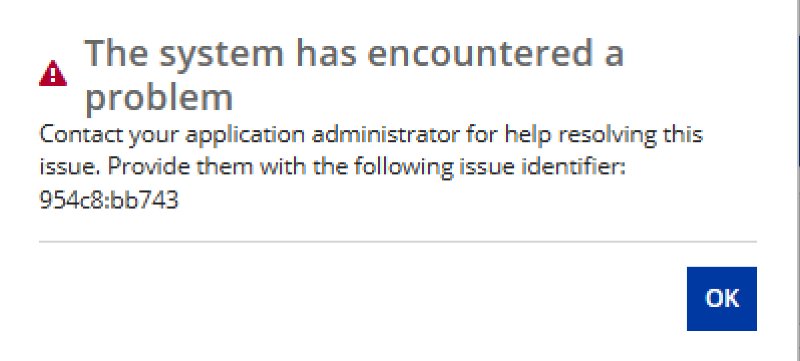
A UAT user shares a production error screenshot displaying the generic message: "The system has encountered a problem. Contact your administrator." It includes an error number (e.g., 954c8:bb743). You do not have access to production screen or data access, but you do have access to the Development environment and the production server logs. How would you debug and resolve this issue?
Answer
Locate the Root Cause in the Logs
- Analyze stdout Logs:I’d start with
tomcat-stdOut.logon the production server. I’d look for the time of the error and check whether the stack trace shows up there. If the log only repeats the generic user message, I’d opendesign_errors.csv. - Inspect Design Errors: I will search the CSV for the specific evaluation ID provided by the user (e.g., 954c8:bb743) to find the exact line of failing code.
Analyze the Error Snippet
Based on the log entry in design_errors.csv :
- Identify the Culprit: The root cause is a null pointer exception. The fixed() function inside the interface AV_uiCard (called during the first iteration of a!forEach on line 72 of AV_userForm) is receiving a null value in its first parameter on line 398.
- Most production bugs in Appian stem from missing security permissions or unexpected null data being passed into functions that require active values.
Implement the Fix in Development
- Replicate the Error: I will open av_uicard in the Development environment and pass a null value into the first parameter of the fixed() function to reproduce the error.
- Apply Null Handling: I will wrap the failing parameter using a!defaultValue() or the if() function to safely provide a fallback value (e.g., 0 or "") if the source data is null.
fixed(a!defaultValue(local!amount, 0), 2)
- Unit Test: I will test the interface with various edge cases to ensure the UI no longer breaks when data is missing.
Deployment and Release Strategy
- Assess Urgency: If this blocks production, I’d tell the project stakeholders right away and start the hotfix process..
- Standard Pipeline: If it is a lower-severity bug, I will follow the standard deployment pipeline:
- Commit the fix in Development.
- Deploy and test the fix in the Test/QA environment.
- Await Quality Control (QC) sign-off and validation.
- Deploy the verified patch to UAT and Production.
Appian documentation References
Try it yourself
Change the inputs or the expression and run it to see what it returns.
Independent evaluator: it approximates the Appian expression language and may differ from a real Appian environment. Verify anything that matters. Terms
Check yourself
Question 1 of 3, on what the answer above covers.
- 1.Users report a generic error in production, and tomcat-stdOut.log only repeats the same generic message. What is your next move?
- 2.The log says: "rule 'AV_uiCard' at function 'fixed' [line 398]: A null parameter has been passed as parameter 1." What does that tell you?
- 3.What does a!defaultValue({}, "default") return?