What are Group Membership Rules in Appian, and how can users be dynamically added to or removed from groups?
What are Group Membership Rules in Appian, and how can users be dynamically added to or removed from groups?
Answer
Membership rules let Appian manage a group’s members for you. You define conditions on user profile attributes, such as username, first name, last name, email, or a custom user profile field. Appian then adds every user who matches, so nobody has to add or remove members by hand.
This helps most when you have a lot of users, or when you’re setting up role-based access control (RBAC).
1. Practical example
Take a Loan Management Application with three groups:
- Loan Officers
- Loan Underwriters
- Loan Managers
Say every user in the Underwriting department should be in the Loan Underwriters group. You don’t need to keep that list up to date yourself. Store each user’s department in a custom user profile field. Then add a membership rule to Loan Underwriters:
Suppose your Loan Application has three users:
User | Department |
|---|---|
John | Underwriting |
Sarah | Finance |
David | Underwriting |
You create a group called Loan Underwriters and configure this Membership Rule:
Department = Underwriting
How the rule works
User | Rule Matches? | Result |
|---|---|---|
John | Yes | Added to group |
Sarah | No | Not added |
David | Yes | Added to group |
Final Group Members
Loan Underwriters |
John |
David |
What happens if Sarah's department changes from Finance to Underwriting?
Appian automatically includes Sarah in the group because she now satisfies the membership rule. No developer needs to manually add her.
2. How to configure a membership rule
- In Appian Designer, open the group you want to manage.
- Go to the Membership Rules tab.
- Click New Rule.
- Choose whether the rule applies to users or groups.
- Set the conditions, each with a field, an operator, and a value.
- Click Create to save the rule.
- Open the Members tab and check which users the rule added.
Only group administrators can create or change membership rules.
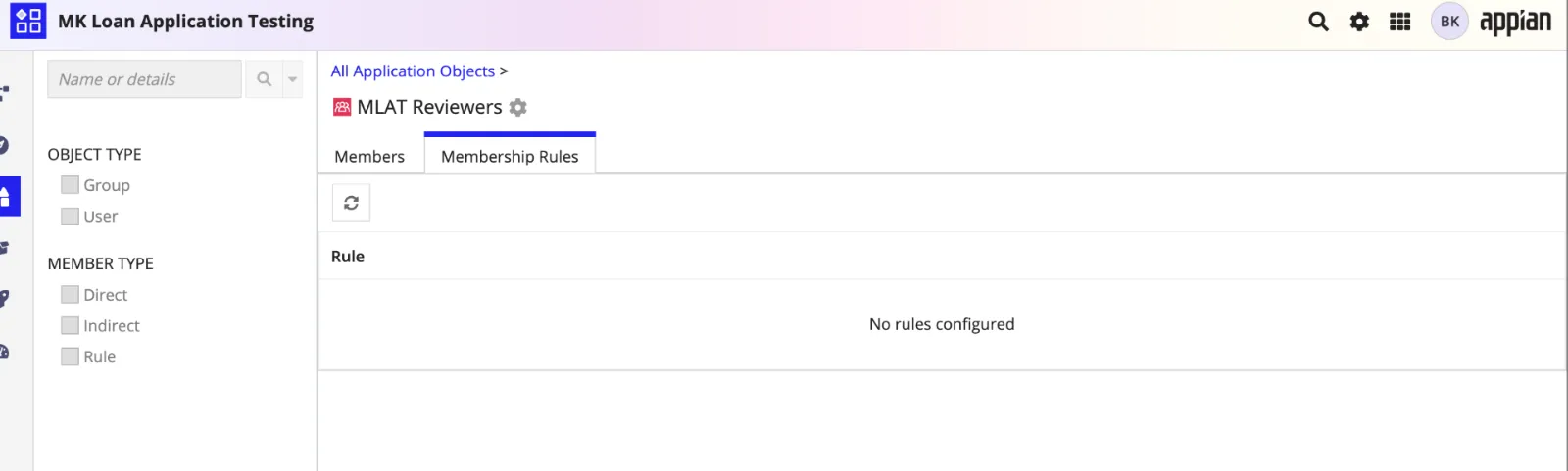
3. Types of group membership
A user can belong to a group in three ways:
Member type | How the user got there |
|---|---|
Direct | Someone added the user to the group by hand. |
Indirect | The user belongs to a group that is itself a member of this group. |
Rule | A membership rule matched the user and added them automatically. |
The Member Type column on the Members tab shows how each user or group got into the group.
4. A limitation to know
If a rule has more than one condition on the same field, Appian only evaluates the first one.
For example, with these two conditions:
- Username contains “a”
- Username contains “b”
Appian applies only “Username contains ‘a’” and ignores the second condition.
If you need more complex criteria, put the value you want to match into a custom user profile field and write the rule against that field. Membership rules also work only with the user and group attributes Appian supports. They can’t call expression rules or query your application’s database tables to decide who belongs.
5. When to use membership rules
Membership rules are a good fit when:
- Users should land in groups based on their profile information.
- Membership changes often because people change departments or the organization is restructured.
- Many users need the same application permissions because they hold the same role.
- You want less manual group administration.
Some membership depends on business data, such as assigning an underwriter to a specific loan based on database records. For that, use a process model with the group management smart services.
Interview tip: membership rules are configuration. They manage group membership dynamically. Don’t confuse them with expression rules, which hold application logic.
Check yourself
Question 1 of 5, on what the answer above covers.
- 1.Your Loan Management Application has a Loan Underwriters group with the membership rule
Department = Underwriting. John's Department is Underwriting, Sarah's is Finance and David's is Underwriting. Assuming no other membership assignments exist, which users automatically become members of the group? - 2.A developer configures two conditions in the same membership rule: Username contains "a", and Username contains "b". The application has four users:
alice,bob,brunoandtim. Which users are added through this rule? - 3.In a Loan Management Application, John is manually added to the Loan Officers group, David belongs to a subgroup of Loan Officers, and Sarah is included through a membership rule. Which statements are correct? Select all that apply.
Select all that apply
- 4.John belongs to the Loan Underwriters group through a membership rule based on his Department, and an administrator has also added him to the group manually. Later John's Department changes and he no longer satisfies the rule. True or False: John must lose all membership in the Loan Underwriters group.
- 5.A developer needs to automatically include groups of a particular group type in another Appian group based on configured conditions. True or False: Appian membership rules can apply to groups as well as individual users.