What are the types of Record Relationships in Appian? Explain with examples?
What are the types of Record Relationships in Appian? Explain with examples?
Answer
Record relationships connect data between record types through common fields, much like primary and foreign keys in a relational database. They let you pull related data without writing SQL joins by hand.
Appian directly supports three types of record relationship:
- One-to-one (1:1)
- One-to-many (1:N)
- Many-to-one (N:1)
You can also model many-to-many (M:N) relationships, but only indirectly, through an intermediate record type, also called a junction or mapping record type.
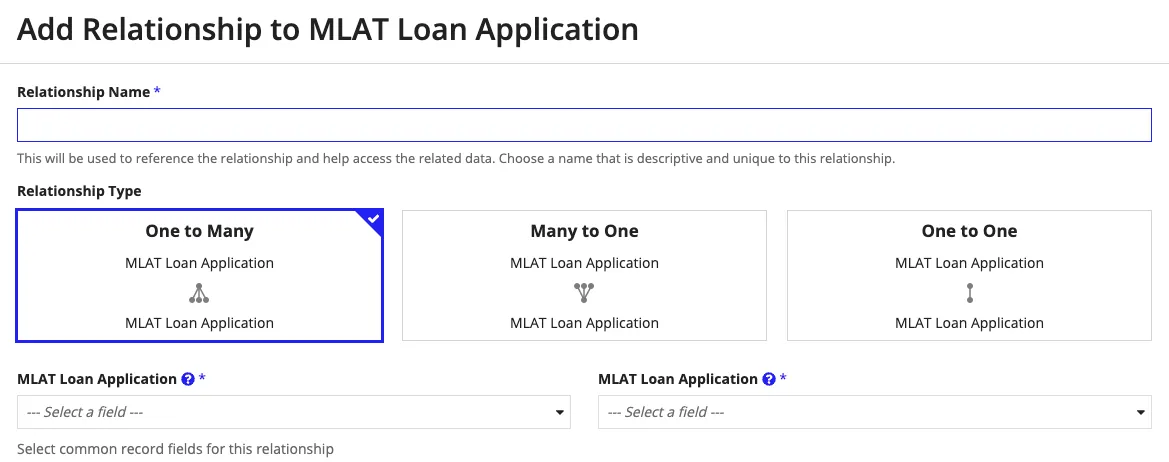
The examples below all use an MLAT Loan Application system.
1. One-to-one (1:1)
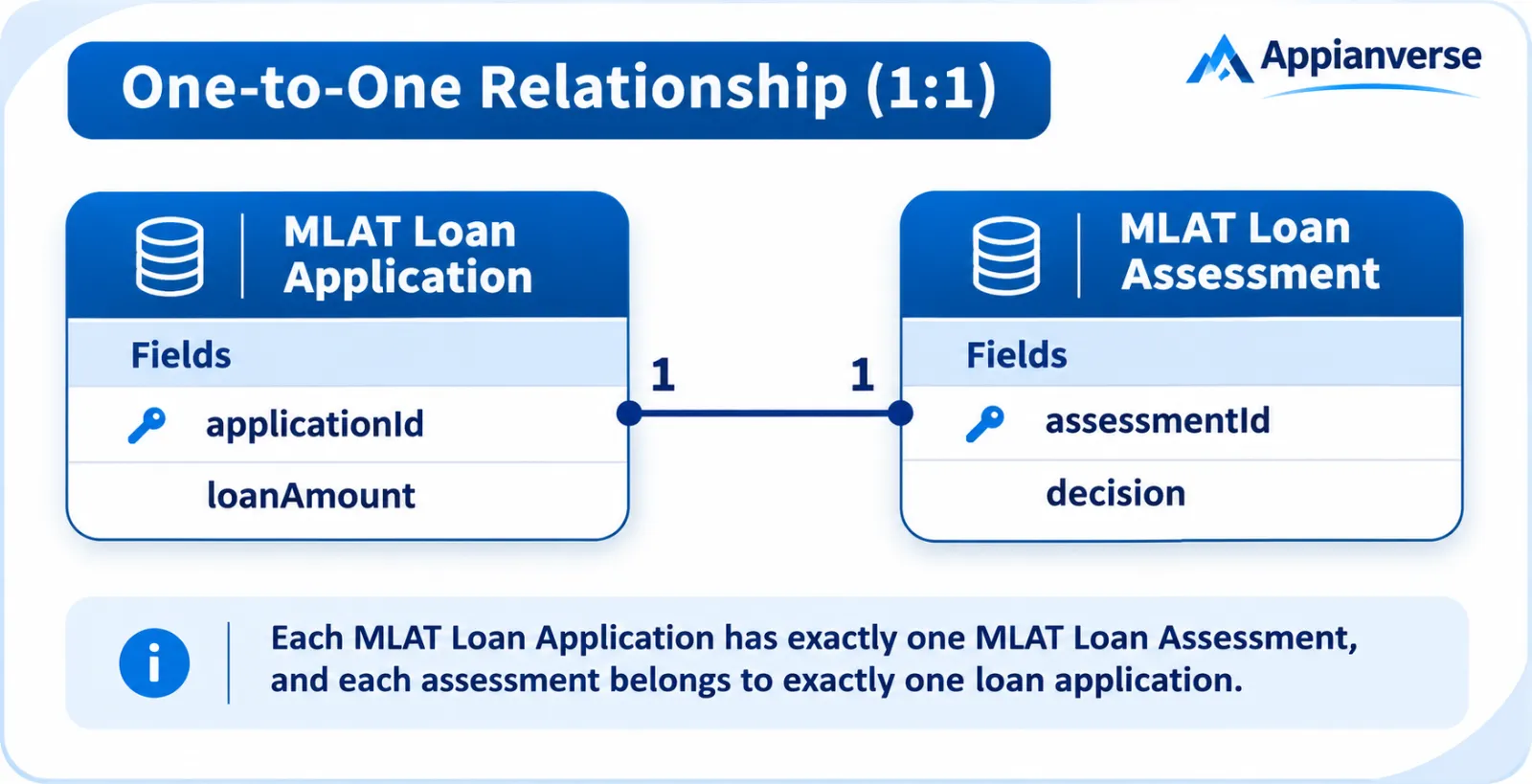
What it means: each record in one record type matches at most one record in another record type.
Example: Loan Application and Loan Assessment
Say every loan application has one final loan assessment that holds the eligibility decision and the approved amount.
MLAT Loan Application
applicationId | applicantName |
|---|---|
501 | John |
502 | Alice |
MLAT Loan Assessment
assessmentId | applicationId | decision |
|---|---|---|
1 | 501 | Approved |
2 | 502 | Pending |
Relationship:
MLAT Loan Application (1) ↔ (1) MLAT Loan Assessment
Each loan application has exactly one assessment, and each assessment belongs to exactly one application.
Appian configuration
Open MLAT Loan Application > Data Model > Add Relationship.
- Related record type: MLAT Loan Assessment
- Relationship name:
loanAssessment - Relationship type: One-to-One
- Common fields:
MLAT Loan Application.applicationIdmaps toMLAT Loan Assessment.applicationId
applicationId must be unique in Loan Assessment, so an application can’t end up with more than one final assessment.
Use case: showing the eligibility result or final assessment details right on the Loan Application summary page.
Note: if the business needs more than one assessment per application, such as an initial assessment and later reassessments, use one-to-many instead.
2. One-to-many (1:N)
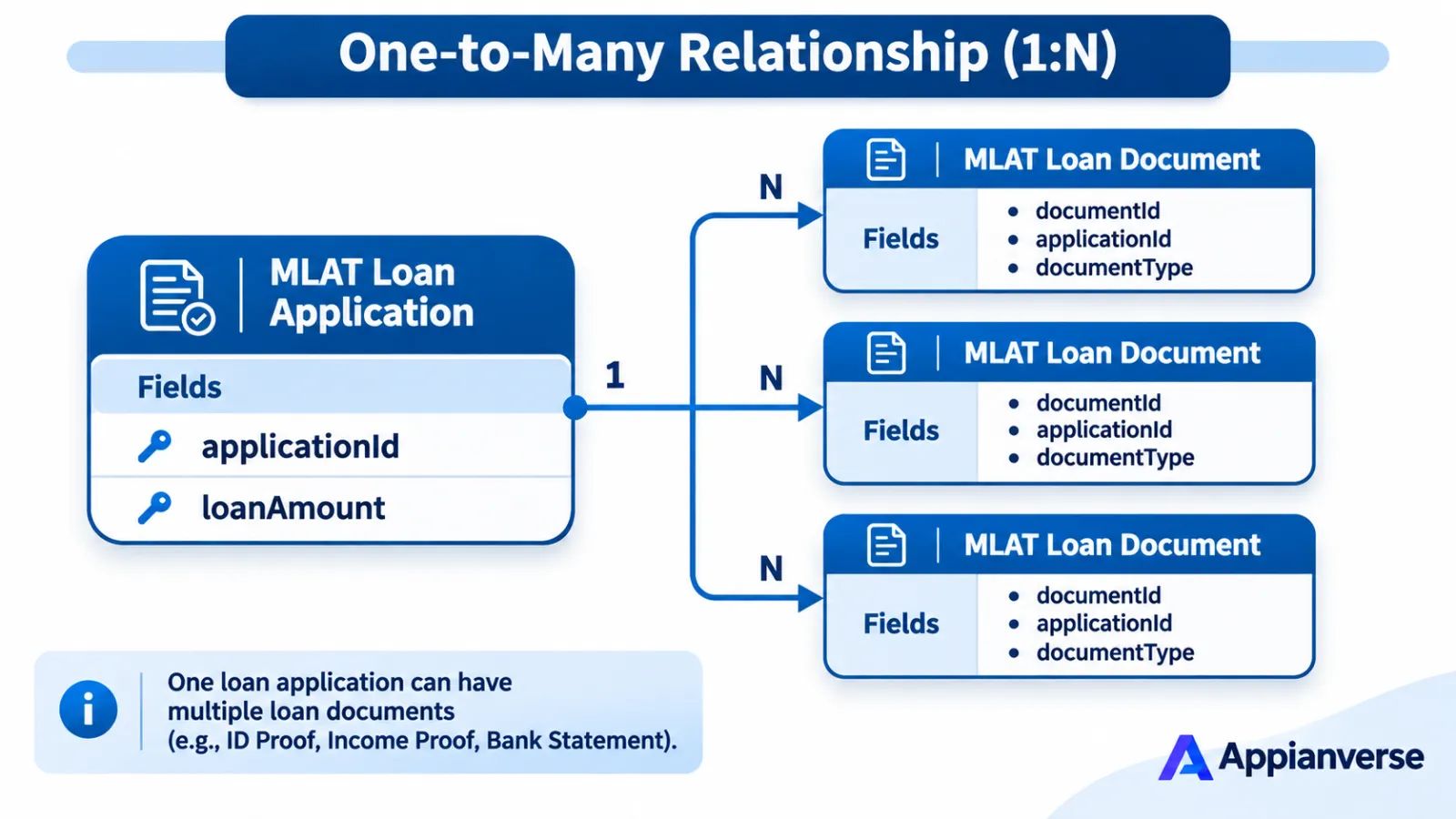
What it means: one record in the parent record type can match many records in the child record type.
Example: Loan Application and Loan Documents
An applicant may need to upload several supporting documents, like proof of income, bank statements and ID.
MLAT Loan Application
applicationId | applicantName |
|---|---|
501 | John |
502 | Alice |
MLAT Loan Document
documentId | applicationId | documentType |
|---|---|---|
1001 | 501 | Bank Statement |
1002 | 501 | Income Proof |
1003 | 502 | Identity Proof |
Relationship:
MLAT Loan Application (1) → (N) MLAT Loan Document
Application 501 has two documents, and application 502 has one.
Appian configuration
Open MLAT Loan Application > Data Model > Add Relationship.
- Related record type: MLAT Loan Document
- Relationship name:
loanDocuments - Relationship type: One-to-Many
- Common fields:
MLAT Loan Application.applicationIdmaps toMLAT Loan Document.applicationId
How it works
When a user opens loan application 501, Appian can pull every document for that application through the relationship.
Use case: showing a related documents grid on the Loan Application summary page.
The same pattern works for:
- Loan Application to Comments
- Loan Application to Payment Schedule
- Loan Application to Audit History
3. Many-to-one (N:1)
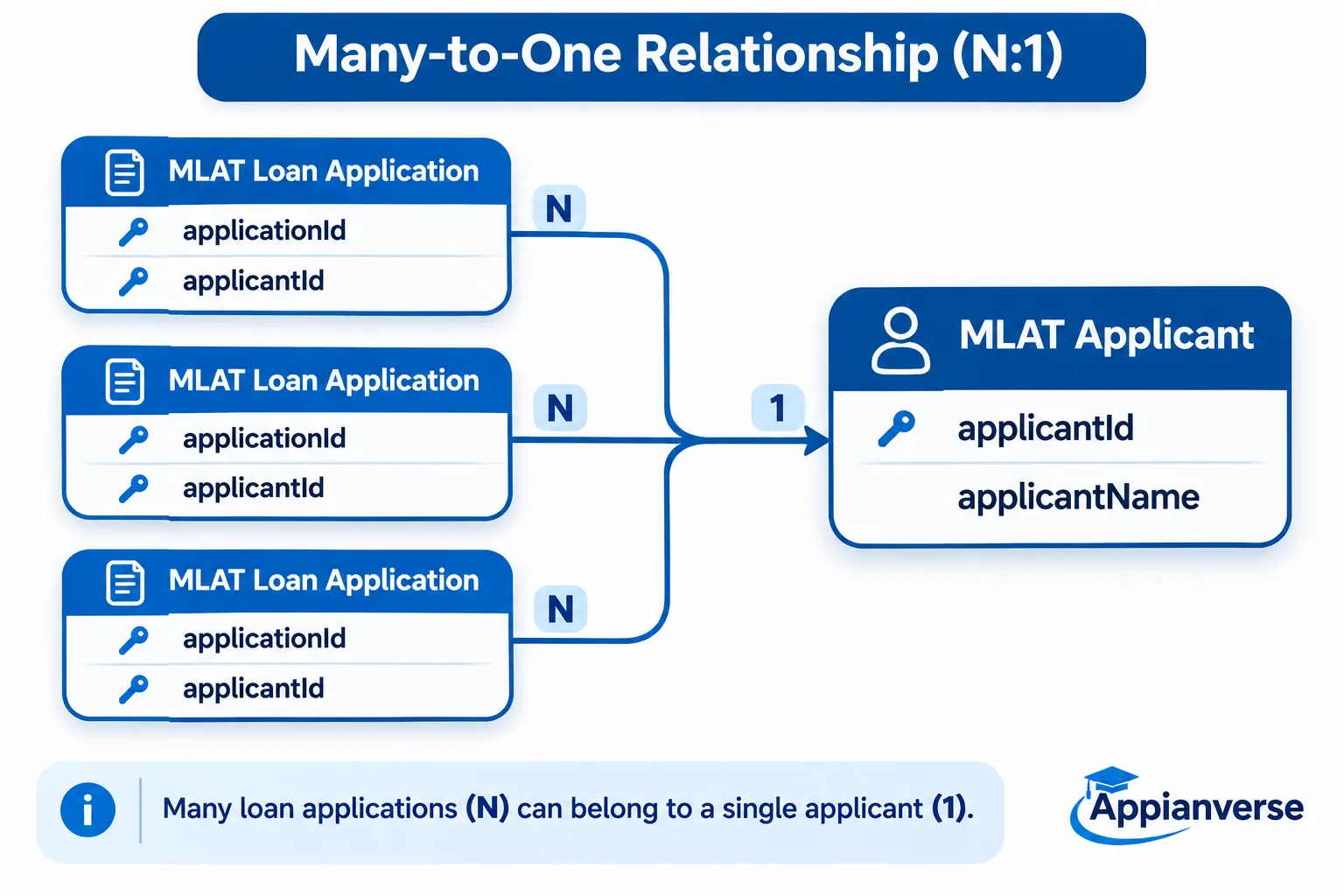
What it means: many records in one record type can match a single record in another record type.
Example: Loan Application and Applicant
Say one applicant can submit several loan applications, but each application belongs to only one applicant.
MLAT Applicant
applicantId | applicantName |
|---|---|
201 | John |
202 | Alice |
MLAT Loan Application
applicationId | applicantId | loanAmount |
|---|---|---|
501 | 201 | $20,000 |
502 | 201 | $15,000 |
503 | 202 | $10,000 |
Relationship:
MLAT Loan Application (N) → (1) MLAT Applicant
Applications 501 and 502 belong to John, and application 503 belongs to Alice.
Appian configuration
Open MLAT Loan Application > Data Model > Add Relationship.
- Related record type: MLAT Applicant
- Relationship name:
applicant - Relationship type: Many-to-One
- Common fields:
MLAT Loan Application.applicantIdmaps toMLAT Applicant.applicantId
How it works
When a reviewer opens loan application 501, they can see the applicant’s information through the relationship.
Use case: showing the applicant’s name, email, phone number and other details they’re allowed to see on the Loan Application summary page.
Important: one-to-many and many-to-one are the same link between the data, seen from opposite sides:
- Applicant to Loan Applications is one-to-many.
- Loan Application to Applicant is many-to-one.
If you need to navigate from both record types, configure the relationship in both directions.
4. Many-to-many (M:N), supported indirectly
What it means: many records in one record type can match many records in another record type.
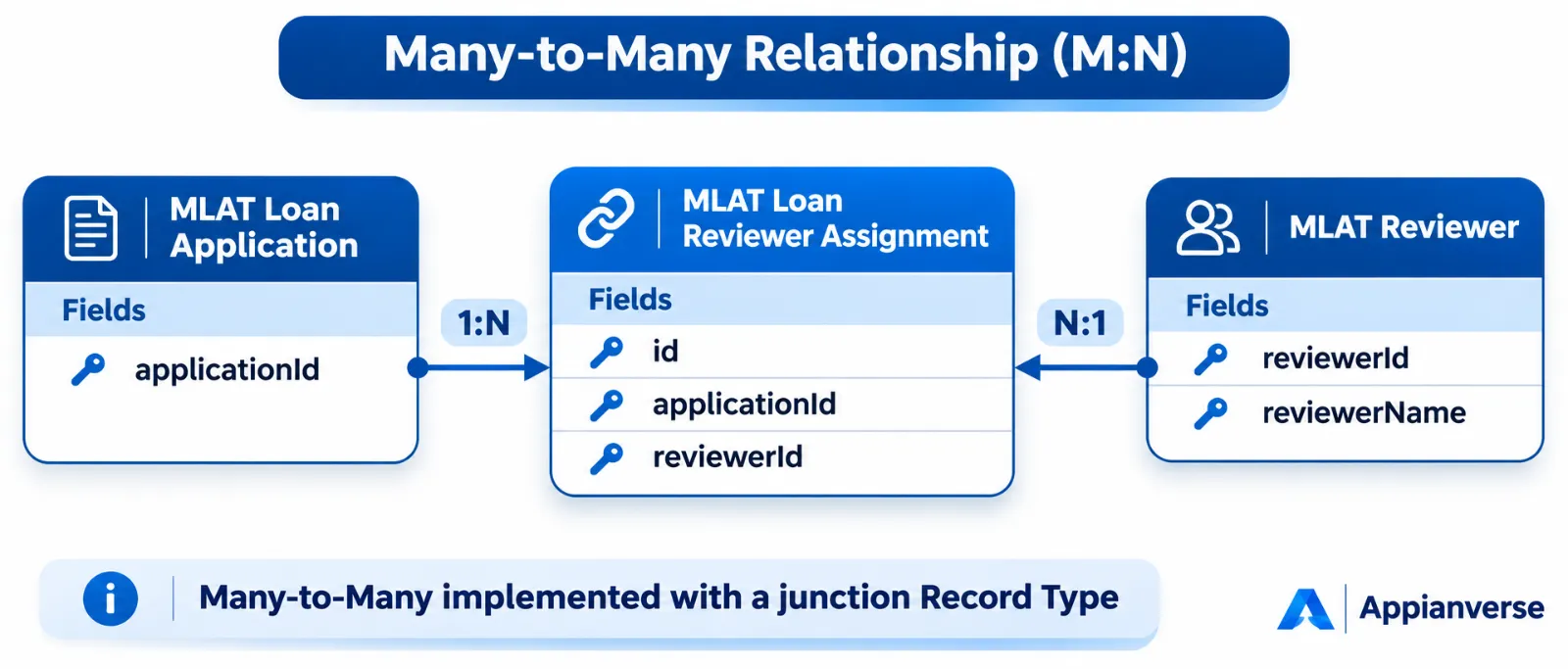
Appian has no direct many-to-many relationship option. You build it with a junction table and an intermediate record type.
Example: Loan Application and Reviewer
The business requirements are:
- One loan application can be assigned to several reviewers.
- One reviewer can review several loan applications.
For example, loan application 501 is assigned to John and Alice, and application 502 is assigned to John. That’s a many-to-many relationship.
Step 1: Create the record types
MLAT Loan Application
applicationId | loanAmount |
|---|---|
501 | $20,000 |
502 | $15,000 |
MLAT Reviewer
reviewerId | reviewerName |
|---|---|
301 | John |
302 | Alice |
MLAT Loan Reviewer Assignment (junction table)
id | applicationId | reviewerId |
|---|---|---|
1 | 501 | 301 |
2 | 501 | 302 |
3 | 502 | 301 |
Step 2: Understand the relationship
MLAT Loan Application (1) → (N) MLAT Loan Reviewer Assignment (N) ← (1) MLAT Reviewer
The junction table links loan applications to reviewers. In the sample data, application 501 has two reviewers, John and Alice, and reviewer John is assigned to applications 501 and 502.
Step 3: Configure the relationships in Appian
Relationship 1: Loan Application to Loan Reviewer Assignment
Open MLAT Loan Application and add a relationship:
- Related record type: MLAT Loan Reviewer Assignment
- Relationship name:
reviewerAssignments - Relationship type: One-to-Many
- Common fields:
MLAT Loan Application.applicationIdmaps toMLAT Loan Reviewer Assignment.applicationId
Relationship 2: Reviewer to Loan Reviewer Assignment
Open MLAT Reviewer and add a relationship:
- Related record type: MLAT Loan Reviewer Assignment
- Relationship name:
loanAssignments - Relationship type: One-to-Many
- Common fields:
MLAT Reviewer.reviewerIdmaps toMLAT Loan Reviewer Assignment.reviewerId
Optional reverse relationships
In MLAT Loan Reviewer Assignment, add:
- A many-to-one relationship to MLAT Loan Application
- A many-to-one relationship to MLAT Reviewer
These let you go from an assignment to its application and its reviewer.
Result
Appian has no direct many-to-many option, but two one-to-many relationships and an intermediate record type give you the same business relationship.
Use case: showing every reviewer assigned to a loan application, or every loan application assigned to a reviewer.
Best practice: add a database unique constraint on applicationId plus reviewerId together, so the same reviewer can’t be assigned to an application twice.
Quick comparison
Relationship | Loan application example | Directly supported? |
|---|---|---|
One-to-One (1:1) | Loan Application → Loan Assessment | Yes |
One-to-Many (1:N) | Loan Application → Loan Documents | Yes |
Many-to-One (N:1) | Loan Application → Applicant | Yes |
Many-to-Many (M:N) | Loan Application ↔ Reviewers | No, use a junction record type |
Things to keep in mind
1. Common fields : The common fields that link the two record types need compatible, supported data types.
2. Unique values : The “one” side of a relationship needs unique key values. A one-to-one relationship needs unique values on both sides.
3. Referential integrity : Use database constraints so that the links between applications, applicants, documents and reviewers stay valid.
4. Performance : Pull only the related fields the app needs, and don’t query large related record sets you don’t need.
5. Self-relationships : A record type can also have a relationship to itself.
For example, if your loan system has parent applications with related child applications, you could model: MLAT Loan Application (1) → (N) MLAT Loan Application
Here, a field such as parentApplicationId points to another application in the same record type. Use this only when the business really does have a parent-child relationship between loan applications.
Check yourself
Question 1 of 5, on what the answer above covers.
- 1.In MLAT Loan Application, each loan application can have at most one final Loan Assessment, and each assessment belongs to only one application. Which relationship should you configure?
- 2.In MLAT Loan Application, one loan application can have multiple documents, such as Bank Statements, Income Proof, and Identity Proof. Which relationship should you configure from Loan Application to Loan Document?
- 3.One Loan Application can have multiple reviewers, and one reviewer can work on multiple Loan Applications. How should this be implemented in Appian?
- 4.In MLAT Loan Application, John has submitted three different loan applications. Each application belongs to only one applicant. Which relationship should be configured from Loan Application to Applicant?
- 5.You are configuring a One-to-Many relationship between MLAT Loan Application and MLAT Loan Document. Which field mapping correctly connects the records?