How do you compare two text values in Appian so that the comparison is case sensitive? For example, comparing "ram07m" with "Ram07m" should return false.
How do you compare two text values in Appian so that the comparison is case sensitive? For example, comparing "ram07m" with "Ram07m" should return false.
Answer
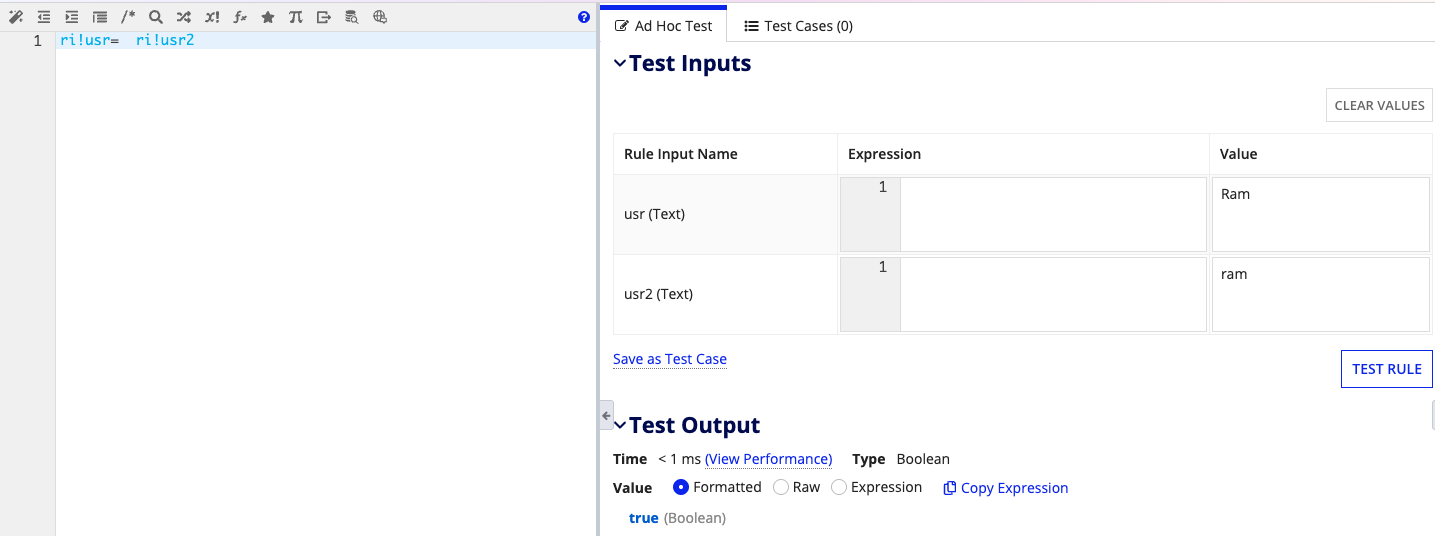
In Appian, using equal to "=" for comparison is not case-sensitive. For instant, if you are comparing usernames which has name "ram" and "Ram" Appian always treat both values are same, as shown in the below code
Code:
Output:
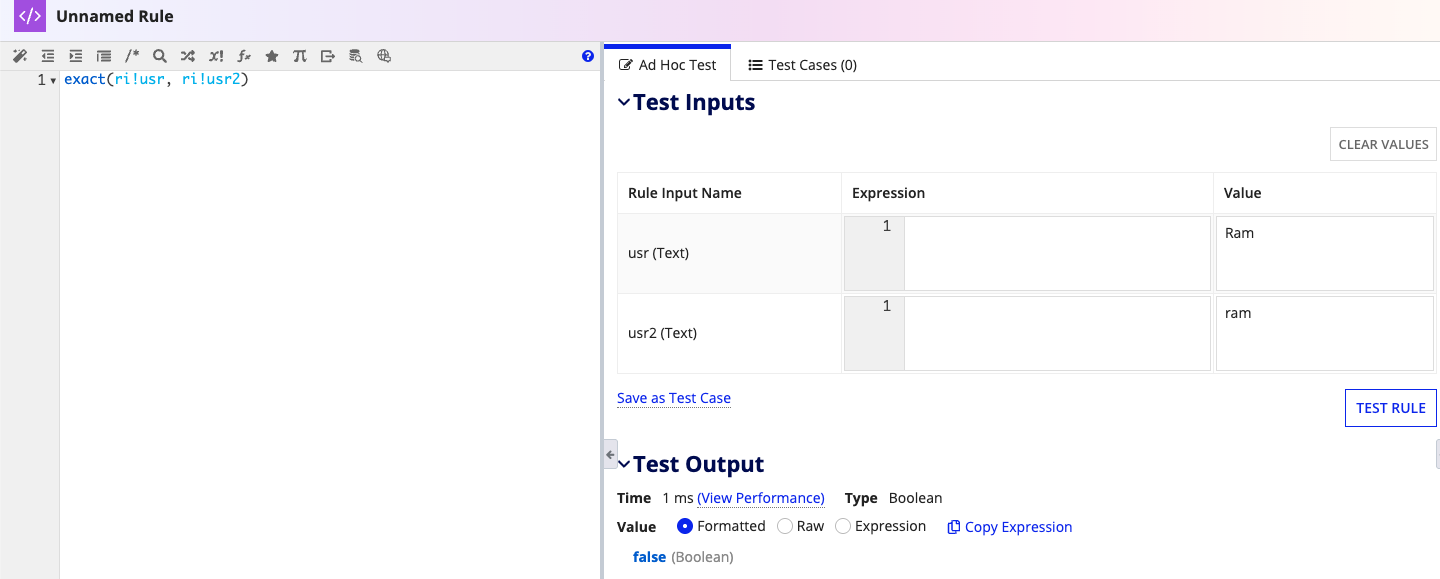
For a case-sensitive comparison, we should use the exact() function. As seen in the below image ri!usr - "Ram" and ri!usr-"ram" if use exact then case sensitive comparison will happen and appian returns false
Code:
Output:
A common use for exact() is a duplicate check on a username or reference code. Say a user has registered as "Ram07m" and someone later tries "ram07m". The = operator treats the two as the same value, so the check reports the second name as taken. If your system treats them as different names, use exact() instead. It compares the values character by character, so exact("Ram07m", "ram07m") returns false and the second name goes through.
Try it yourself
Change the inputs or the expression and run it to see what it returns.
Independent evaluator: it approximates the Appian expression language and may differ from a real Appian environment. Verify anything that matters. Terms