Answer
Why Memory Threshold Issues Happen in Appian
1. Appian has a built-in memory cap for query results
Appian imposes a memory threshold on query rules to prevent excessively large results from consuming too much heap memory on the application server. When a query returns too much data (e.g., selecting many columns or millions of rows), Appian stops the operation and throws the memory threshold error.
2. Occurs especially when querying huge datasets
For example, trying to pull 1 million rows or entire tables without filters or pagination easily hits this limit — even if the database can return that data, Appian won’t load it all at once into memory.
3. Happens during output conversion
The error often shows up as something like: Memory threshold reached during output conversion (threshold: 1,048,576 bytes) — indicating Appian hit its configured limit (default ~1 MB) while converting DB results into Appian objects
How to Avoid the Memory Threshold Issue
1. Use Paging Instead of Pulling All Rows
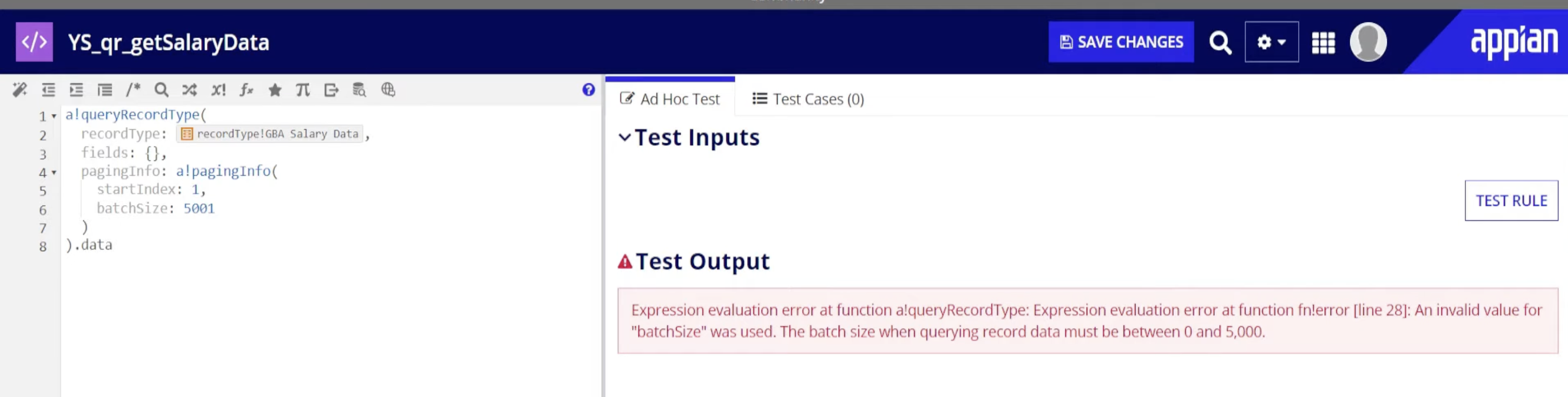
Don’t retrieve rows all at once. Use paging (a!pagingInfo() or batchSize) so each query returns limited data per call.
👉 Example principle:
This ensures only small chunks of data are loaded at a time.
2. Limit the Columns You Return
Only select fields you actually need — fewer columns = less data in memory.
Instead of returning full CDT, explicitly specify required columns via querySelection or the record type query.
3. Filter Your Query
Apply filters so you only get relevant subsets of data rather than unbounded large result sets. This drastically reduces memory usage.