Question
A user uploads documents while submitting Form-1. These documents are stored both in a database table and in an Appian folder. Now, the requirement is to copy the same documents to Form-2 when the user creates it. How would you implement this in Appian?
A
Anonymous
December 5, 2025
39
Answer
When Form-1 is created, Generate a dedicated folder such as Form_1_Folder and store all uploaded documents inside it and also store the document IDs in the corresponding database table so they can be retrieved later.
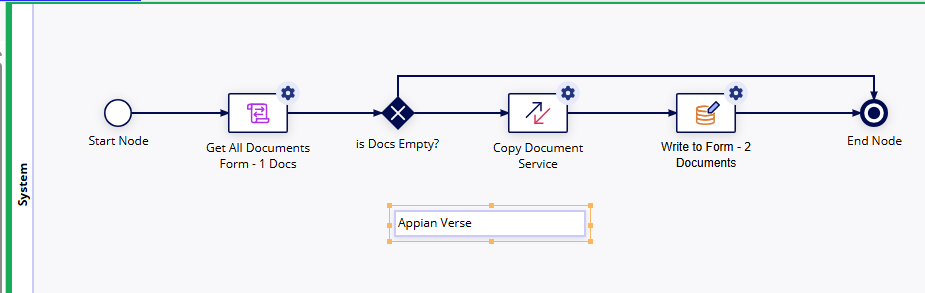
Steps in the process model:
- Retrieve Form-1 document IDs
- Using the Form-1 ID, query the database table and fetch the list of document IDs associated with Form-1.
- Copy documents to the Form-2 folder
- Form-2 will also have a dedicated folder (e.g., Form_2_Folder).
- To copy documents from Folder-1 to Folder-2, I use the plugin:
- "Copy Document Service" (from Appian AppMarket).
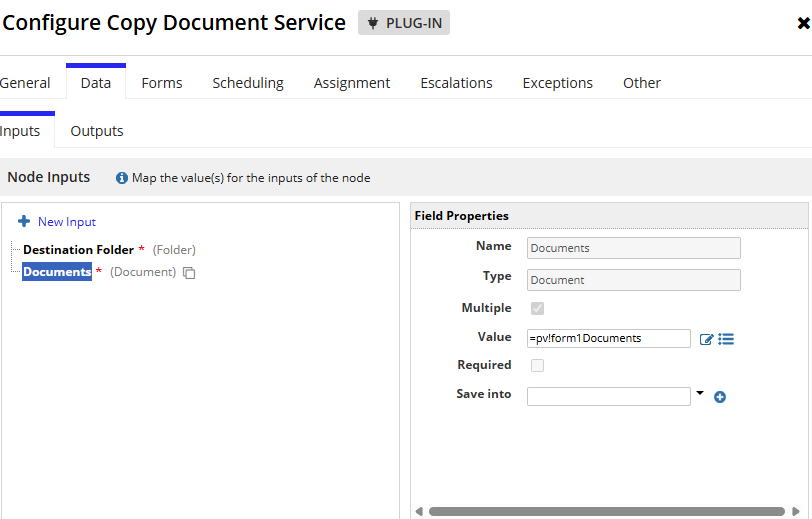
- This smart service takes:
- Source document IDs
- Target folder ID
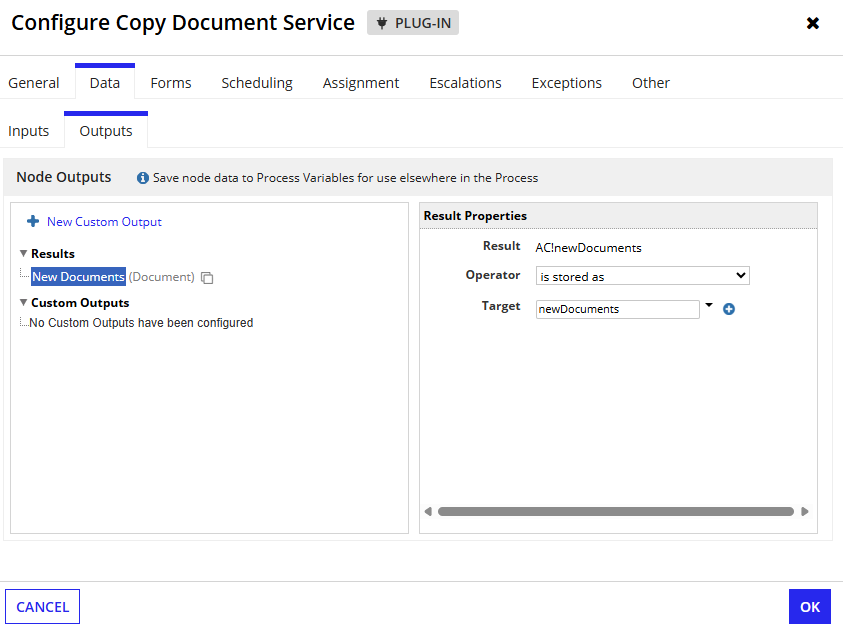
- It returns the newly created (copied) document IDs.
- Update Form-2
- From the smart service output (AC variables), I capture the copied document IDs.
- These IDs are written to Form-2’s database table entry so that they are linked properly.
Sample Design of the Process model
Copy Document Service Preview:
Takes destination folder & Documents as Input
In output storing documents id which are copied from form -2
This
SeniorProcess Models#design#secenrio_based#plugin
Loading comments...