Question Most Common
Best Practices of the process model

karthik07m
December 2, 2025
52
Answer
Clarity and Maintenance
- Provide a clear description for each process model & process name should represents process action
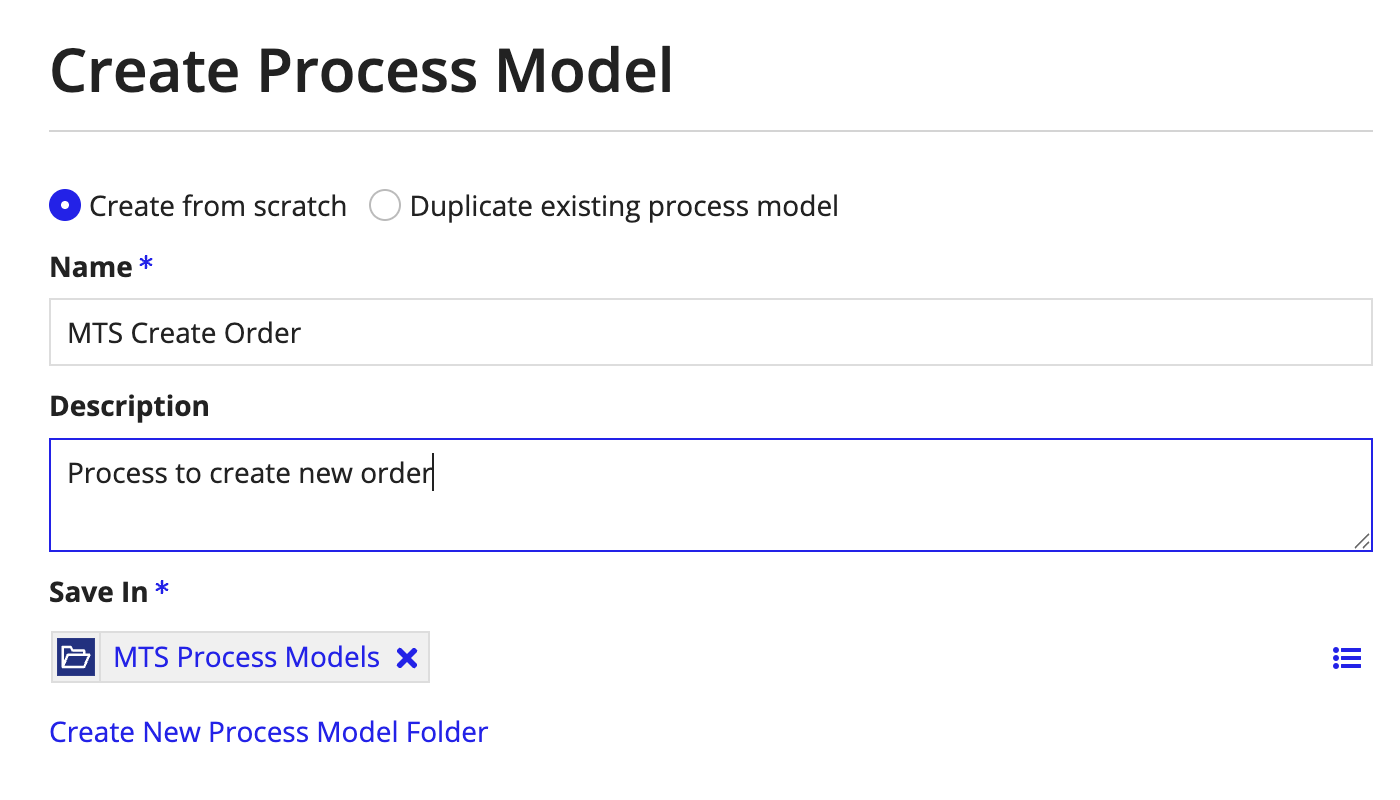
- Use dynamic names for process instances (e.g., by concatenating the display name with a unique ID) to make them easy to identify and debug.

- Label flows originating from gateways (XOR, OR, etc.) to indicate the conditions.
- Adding swim-lanes to different the follows like user follow , system flow which improve the readability of the process flow.
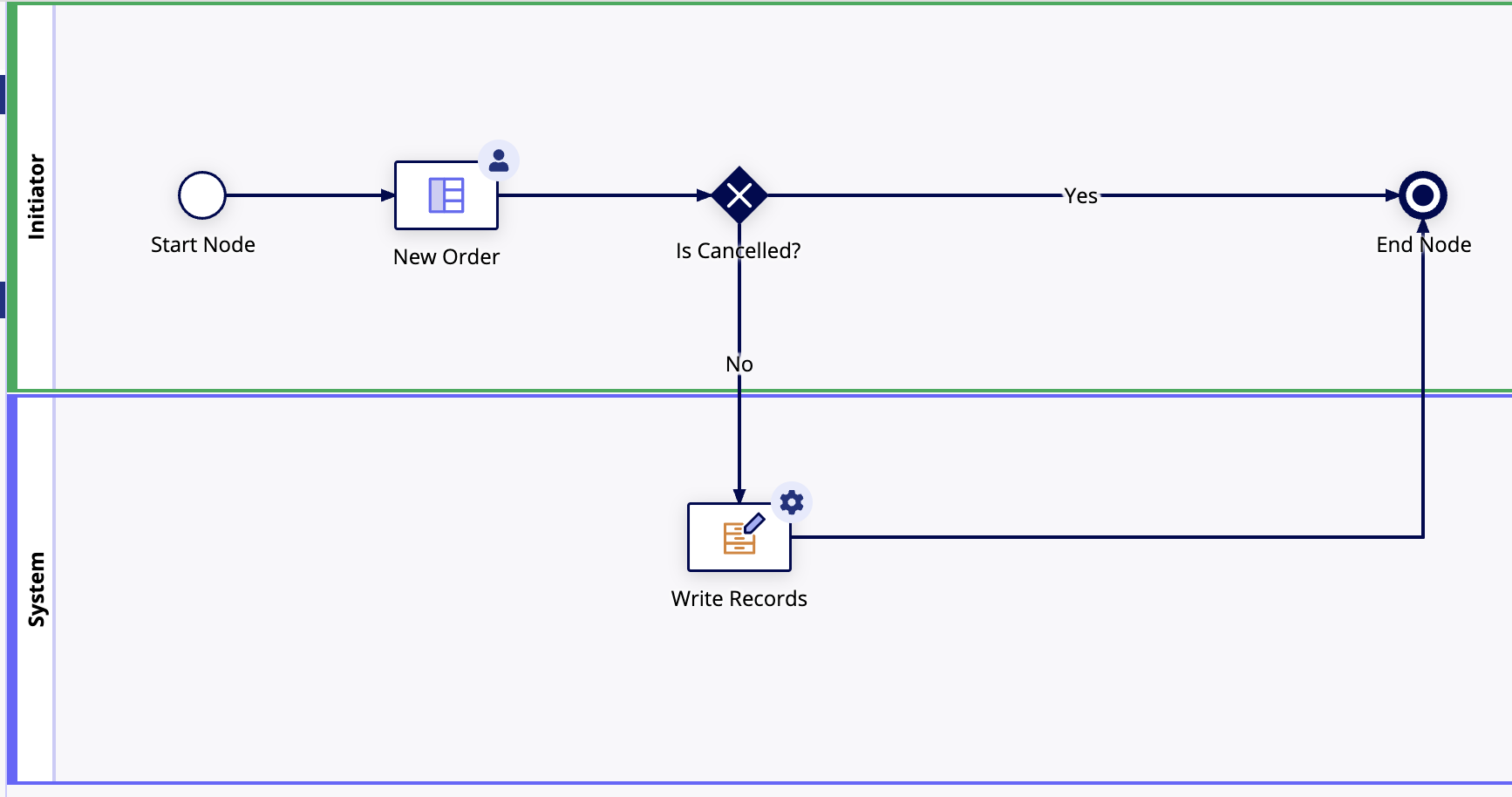
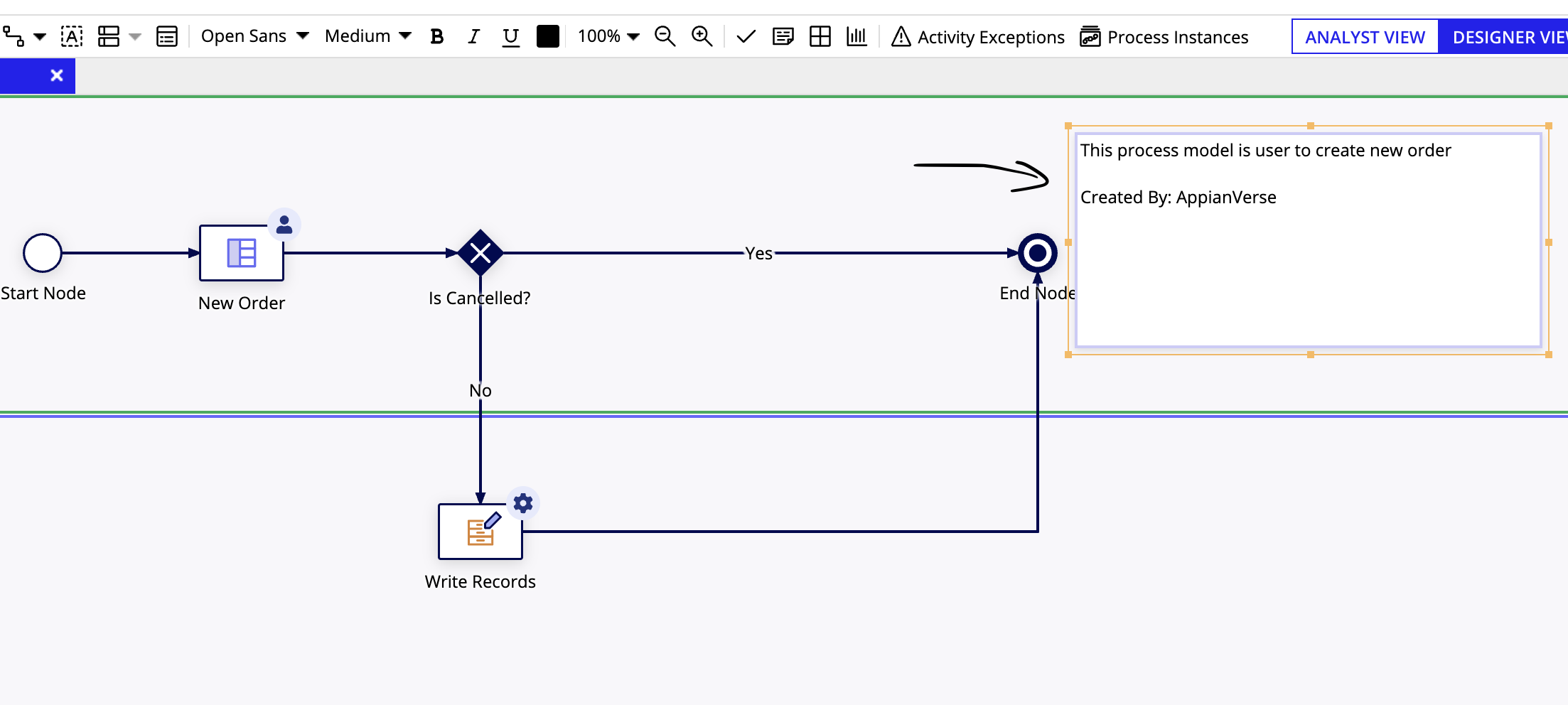
- Add comments: Add annotations to explain the functionality of the process to other developers.
Design and structure
- Configure user tasks: Set tasks to have expiration or reassignment rules for inactivity to prevent them from getting stuck.
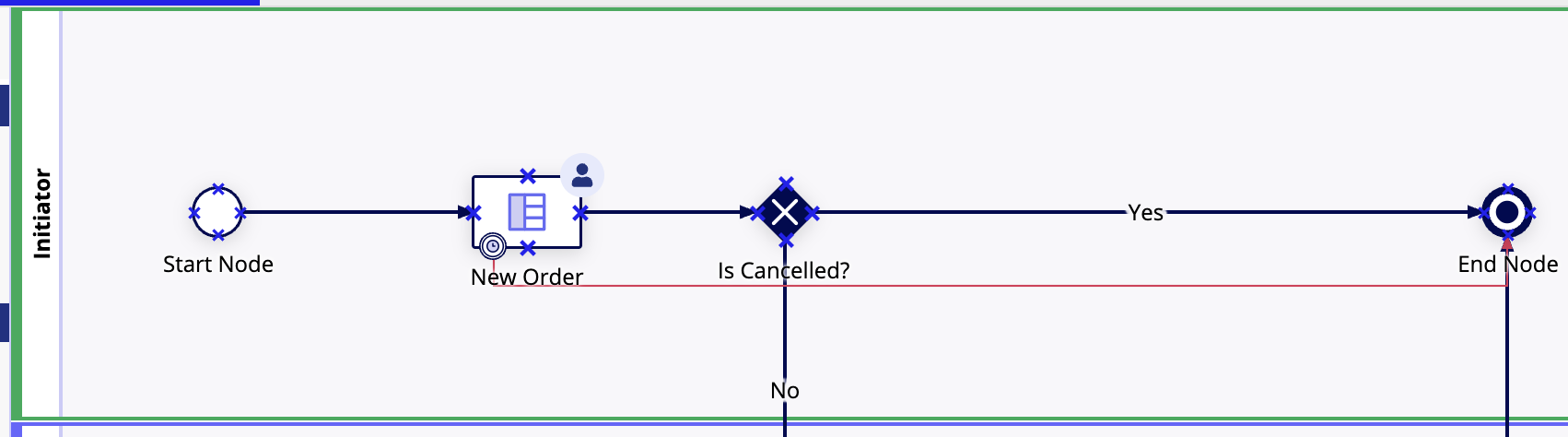
- In the above process model, a timer exception has been configured on the user task, represented by the red line. If the user does not take any action within the specified time—here, 30 minutes—the timer triggers and the flow moves to the terminate node, ending the process.
- Configure end nodes: For processes with multiple end nodes, configure at least one as a "terminated" end node to prevent instances from remaining active unnecessarily.
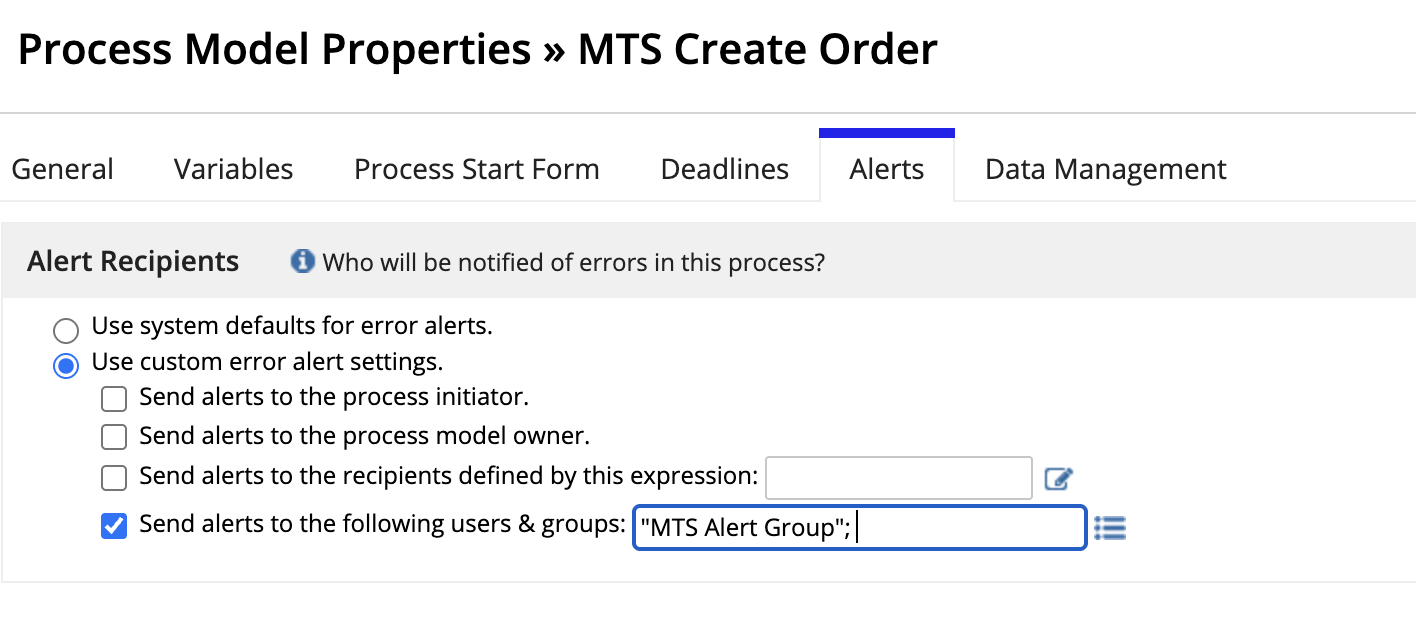
- Always configure a dedicated alert group instead of relying on the default group. Each project should have its own specific alert group to ensure proper notification management.
- Use subprocesses: Break down complex or long-running processes into smaller subprocesses to improve maintainability and reduce memory usage. Long processes can also be split by milestones or phases.
- Limit process length: Keep process models to a manageable number of nodes. Appian recommends no more than 30 nodes, suggesting a maximum of 50, and further complexity should be moved to separate subprocesses.
- Design processes around record types to create shorter, more efficient workflows and leverage record actions for common tasks.
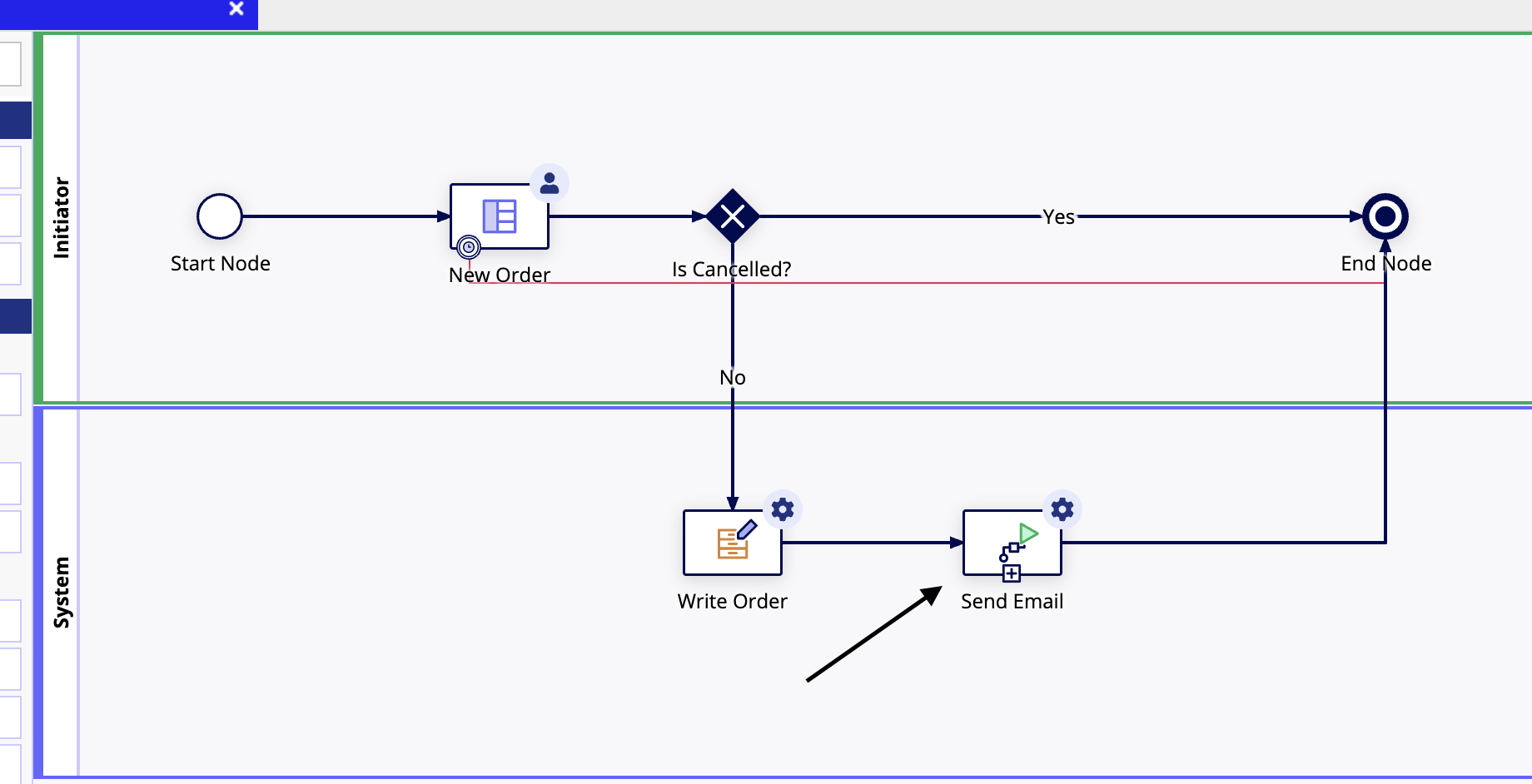
- The ‘Send Email’ node handles generating receipts and sending emails. By configuring this as a separate subprocess, it becomes easier to manage, maintain, and reuse across other process models.
Performance and optimization
- Limit the number of process variables and ensure they store less data. This helps stay within limit for process variables and reduces memory consumption.
- Configure data management to delete process instances only after an appropriate retention period. For example, temporary processes like ‘Send Emails’ can be safely deleted, while important or audit-related processes should be archived.
- Use activity chaining only when it is absolutely necessary—such as when you need to navigate seamlessly from one UI to another within the same process.
- If the parent process model does not depend on the child process, and the child involves heavy processing, use a Smart Service ‘Start Process’ node. This offloads the work to a different engine and prevents unnecessary load on the parent process.
SeniorJuniorProcess Models
Loading comments...