Answer
In Appian, an Environment-Specific Constant (or 'env const') is a constant design object used to store values that vary across environments like Dev, Test, and Prod.
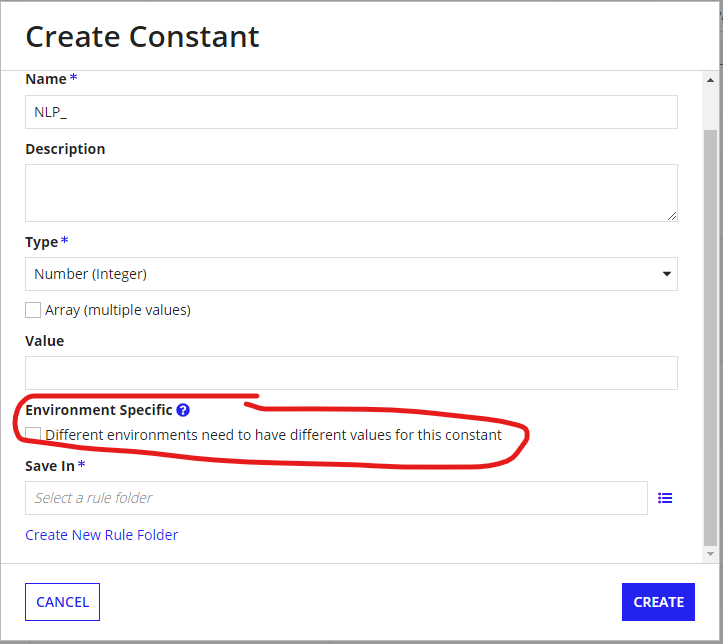
The key technical difference is that when you check the 'Environment Specific' box, the value in the target environment will not be overwritten during a package import. Instead, you manage these values using an Import Customization File (ICF), which is a .properties file where you map the constant's UUID to its environment-specific value. This ensures that sensitive or environment-specific data, like API endpoints, remains intact without manual intervention after deployment.
Example
Suppose your application integrates with an external Legacy ERP System. The API endpoints differ for each stage of development:
How it works in practice:
- Creation: You create the constant in Dev and check 'Environment Specific'.
- Deployment: When moving to QA, you download the Import Customization File from the deployment screen.
- Configuration: You add a line to that file: constantuuid=https://test-api.legacyerp.com.
- Security: This prevents the 'Dev' URL from accidentally being imported into 'Prod', which could cause a high-priority incident where production data is sent to a test system.
Critical Constraints to Mention
- Data Types: It can only be used for primitive data types (Text, Integer, Boolean, etc.) and Email Addresses.
- Object Restrictions: It cannot be used for complex objects like Groups, Documents, or Process Models directly.
- Identification: Since there is no built-in filter, a best practice is to prefix these with ENV_ or add [ES] to the description to help admins identify them