Answer
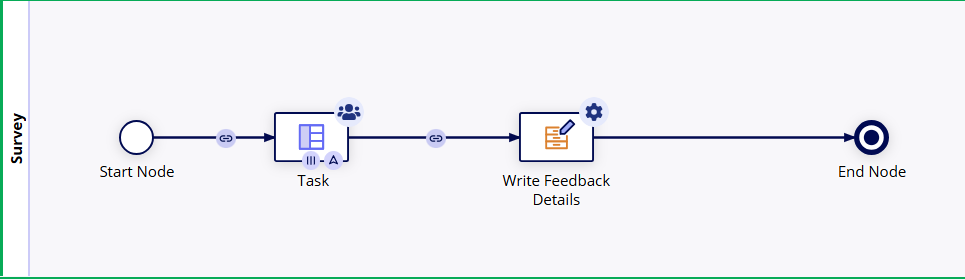
To design a survey for 20 employees in Appian, I would use a Process Model with a User Input Task configured for Multi-Node Instances (MNI).
While you can assign a task directly to a Group, simply putting a Group in the Assignment tab creates a 'shared queue' where the first person to accept the task 'claims' it, preventing the other 19 from responding. To avoid this and ensure individual tracking, the design must follow these three steps:
1. Task Configuration (The "Other" Tab)
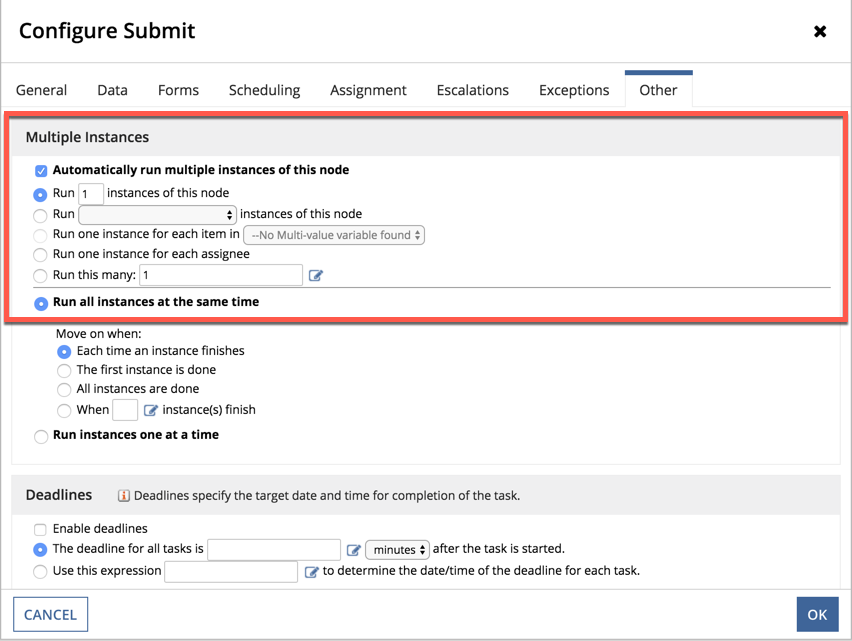
First, I would enable Multi-Node Instances on the User Input Task. I would select the option to 'Run one instance for each assignee' and set them to run simultaneously. This tells Appian to spawn 20 independent copies of the process node.
2. Direct Group Assignment (The "Assignment" Tab)
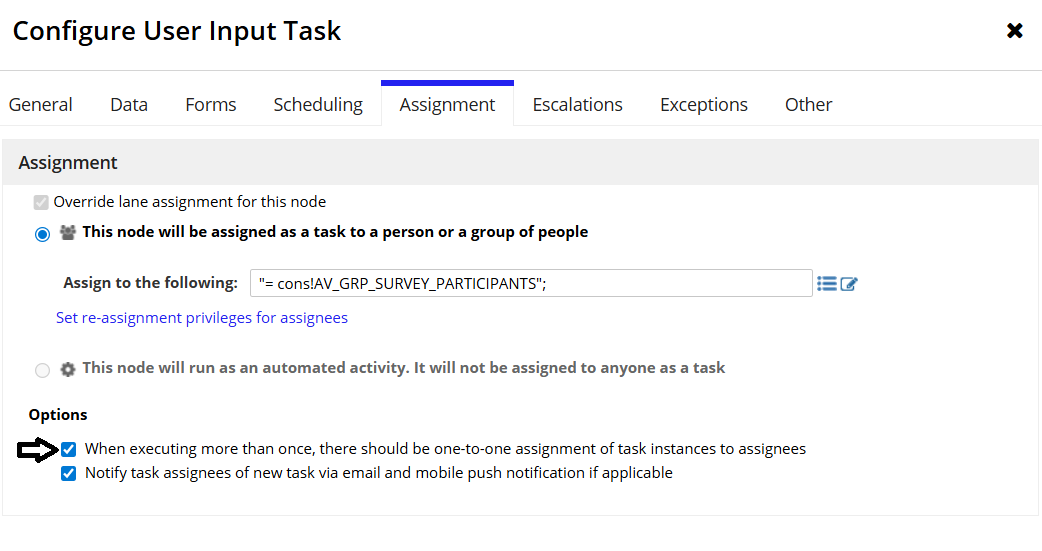
In the Assignment tab, I would input the Group constant directly. Crucially, I would then check the box: 'There should be one-to-one assignment of task instances to assignees.' This forces Appian to expand the group members into 20 individual owners, so each employee sees their own private task.
3. Tracking and Data Integrity
By using this MNI approach:
- Granular Tracking: I can build a process report to see exactly which individuals have 'Assigned' vs. 'Completed' status.
- Escalations: I can set automated reminders that only trigger for the specific employees who haven't submitted yet.
- Data Fabric Integration: Upon submission, the form would write to a Record Type, allowing management to see a real-time analytics dashboard of the 20 responses.
Final Design
Key Interview Tip:
If asked why you use a Group instead of a User List, explain that using a Group is a Security Best Practice. Appian recommends it link here